Siliconed

enhanced by silicone

Local text-to-image generation and AI image editing for Apple silicon Macs. Z-Image Turbo, Qwen-Image-2.1 and Anima Turbo, native in Swift and Metal: no Python, no server, no cloud.

Download for macOS Source on GitHub

Free and open source (Apache 2.0) · macOS 15 or later · M1 and later · signed and notarized

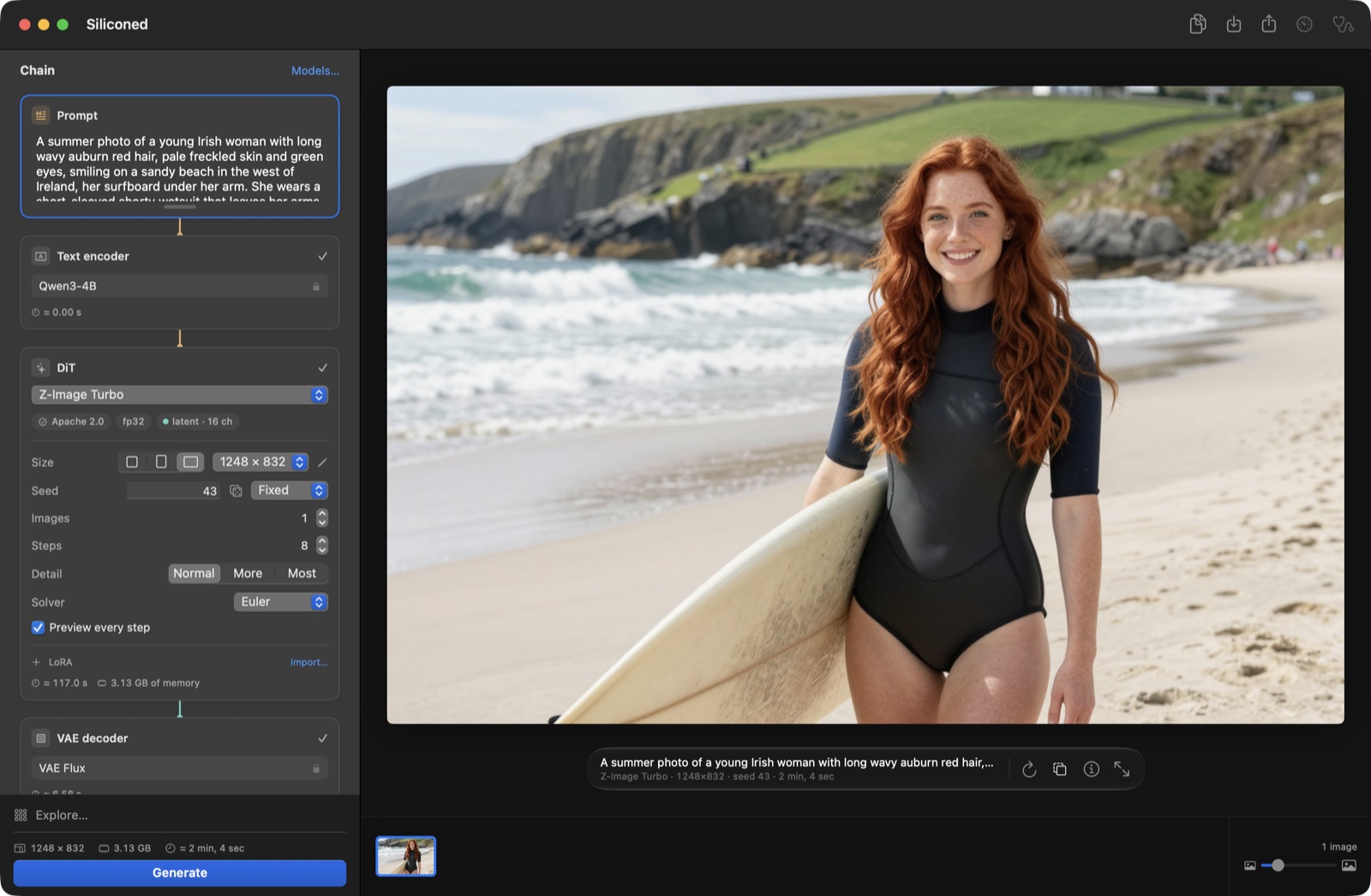
The Siliconed window: the rack of stages on the left, a Z-Image Turbo image of a red-haired Irish woman on a beach, her surfboard under her arm, on the right
The rack shows the whole chain — prompt, text encoder, denoiser, decoder — with each stage's time and memory.

Why Siliconed

Checked against the original

Every stage is compared channel by channel with diffusers and transformers in fp32. What cannot be checked against the reference does not ship.

Full precision, still fast

Z-Image Turbo at 1024² in 113–119 s on an M1 Pro, in fp32, with the 8 evaluations of its recipe.

31 GB of model on a 16 GB Mac, within a fixed budget

Weights stream from disk as needed. Siliconed never takes more than ¾ of the Mac's memory minus 2 GB (10 GB on a 16 GB Mac): each render computes what it needs before it starts and checks its own peak against that figure.

Private by construction

Nothing leaves your Mac, and it works offline once a model is installed.

Your models

Install full size, in 8 bits or in 4 to 6 bits; import LoRAs from Civitai or Hugging Face. Licenses and disk space are shown before the first byte.

Built to be driven by an AI

silicontrol drives the running app from a terminal with JSON output; silicontrol help is all an agent needs.

Paint with Anima

New in 0.10: Anima Turbo, a 2-billion-parameter model for illustration, painting and anime. It knows artists by name and takes LoRAs; here the inCase LoRA at 0.8, a 1024² image in 49 s on an M1 Pro. It makes no photorealism, by its publisher's choice — and the images it makes may be used commercially.
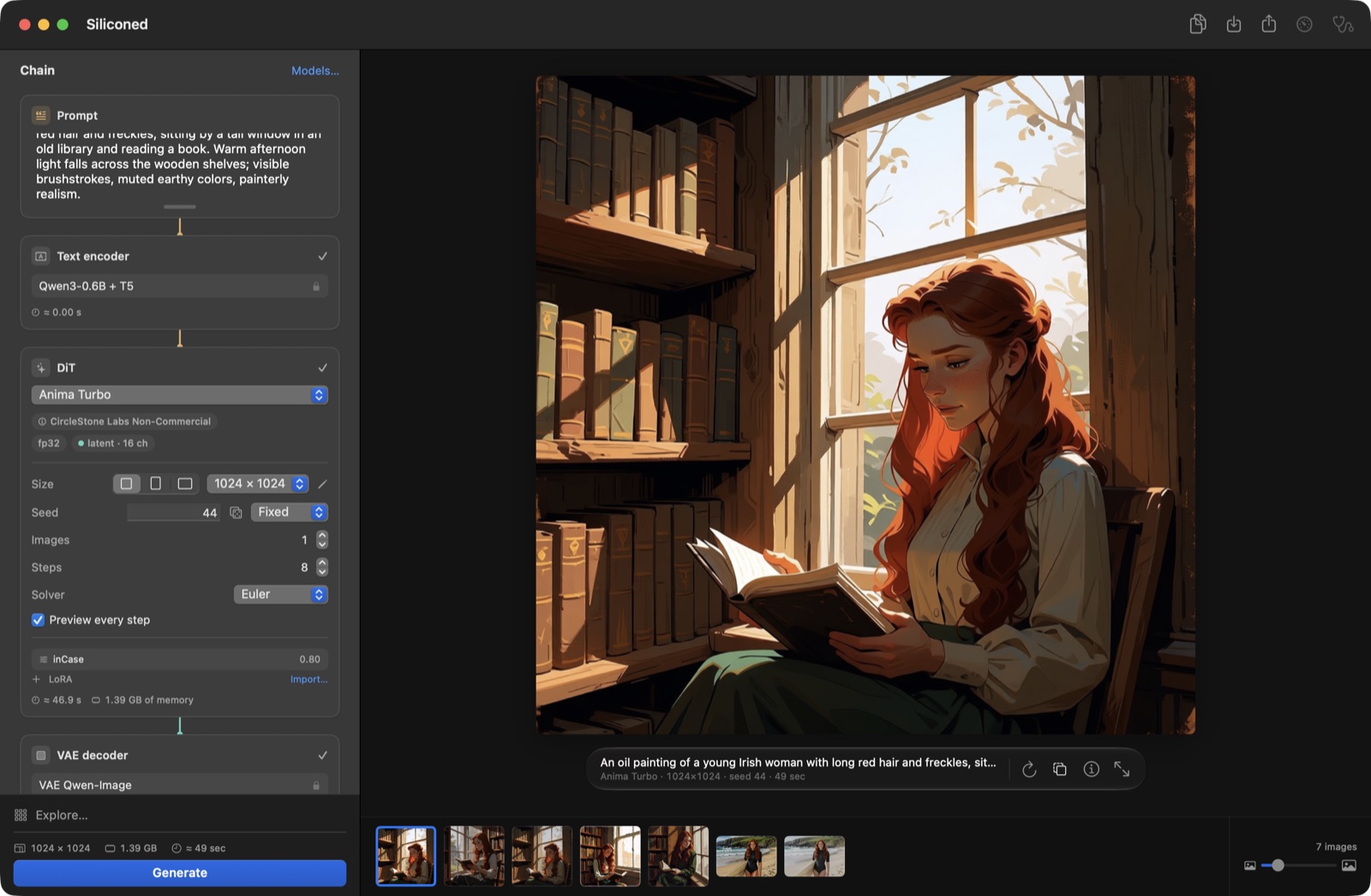
The Siliconed window with Anima Turbo and the inCase LoRA at 0.80 in the rack, and in the canvas a painted illustration of a young red-haired Irish woman reading a book by a tall library window

Edit with a sentence

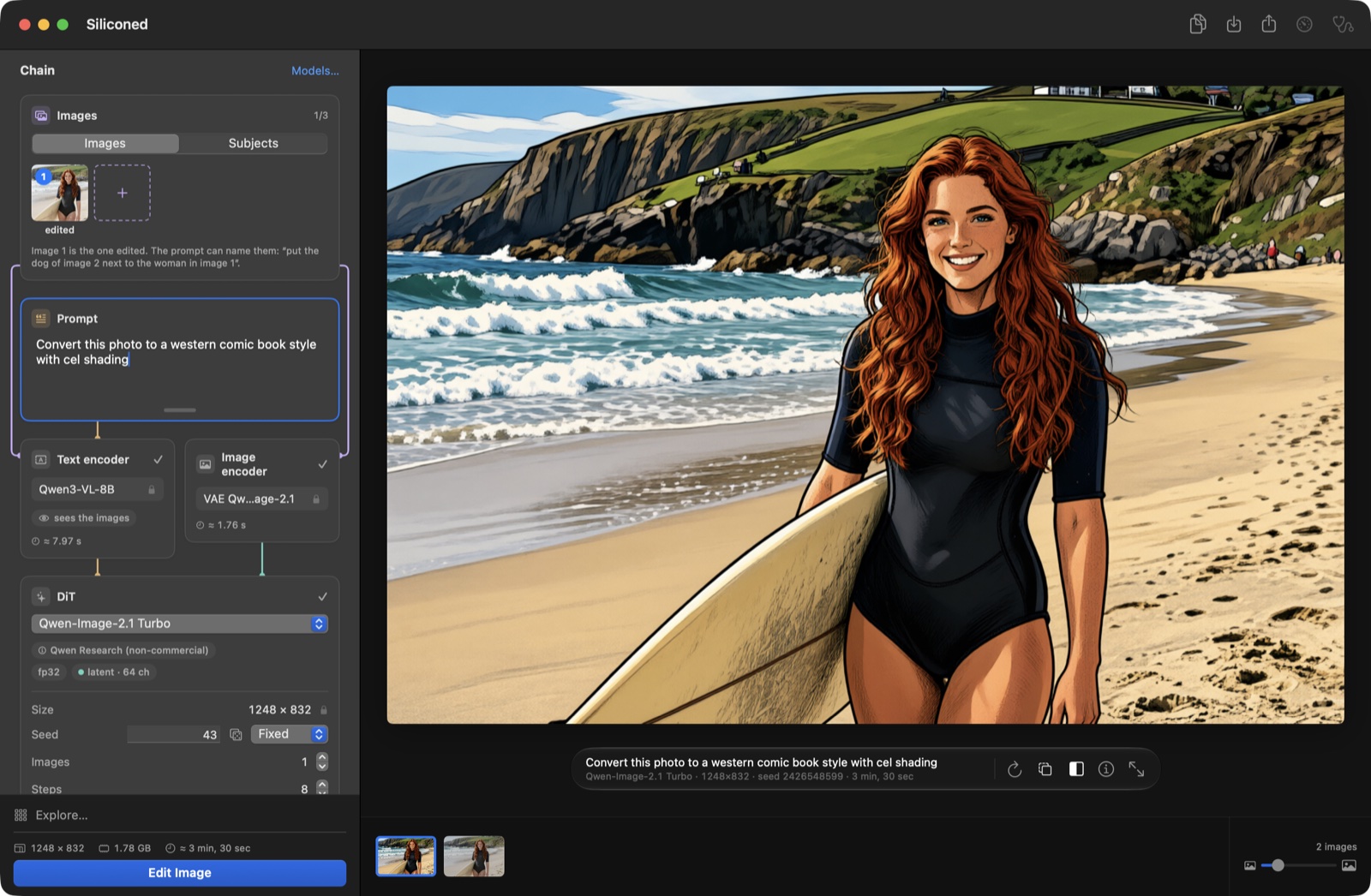
Give Qwen-Image-2.1 one to three images and an instruction — “convert this photo to a western comic book style with cel shading”, “put the dog of image 2 next to her”. Its encoder sees the images. Drag the curtain across the result and its original to see exactly what changed.

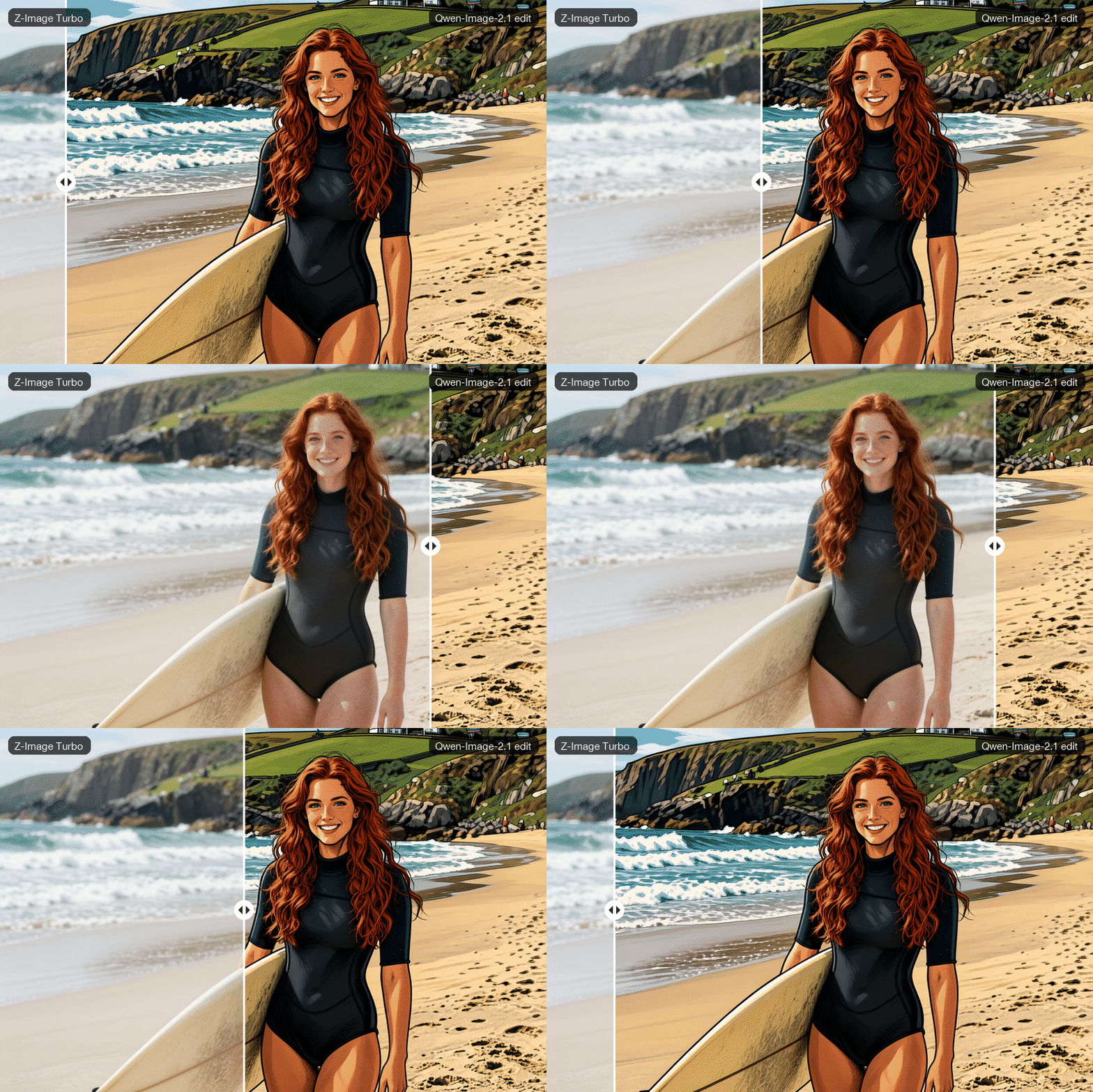
An edit by Qwen-Image-2.1: the photo of the Irish surfer turned into a cel-shaded western comic book drawing

Take from another image

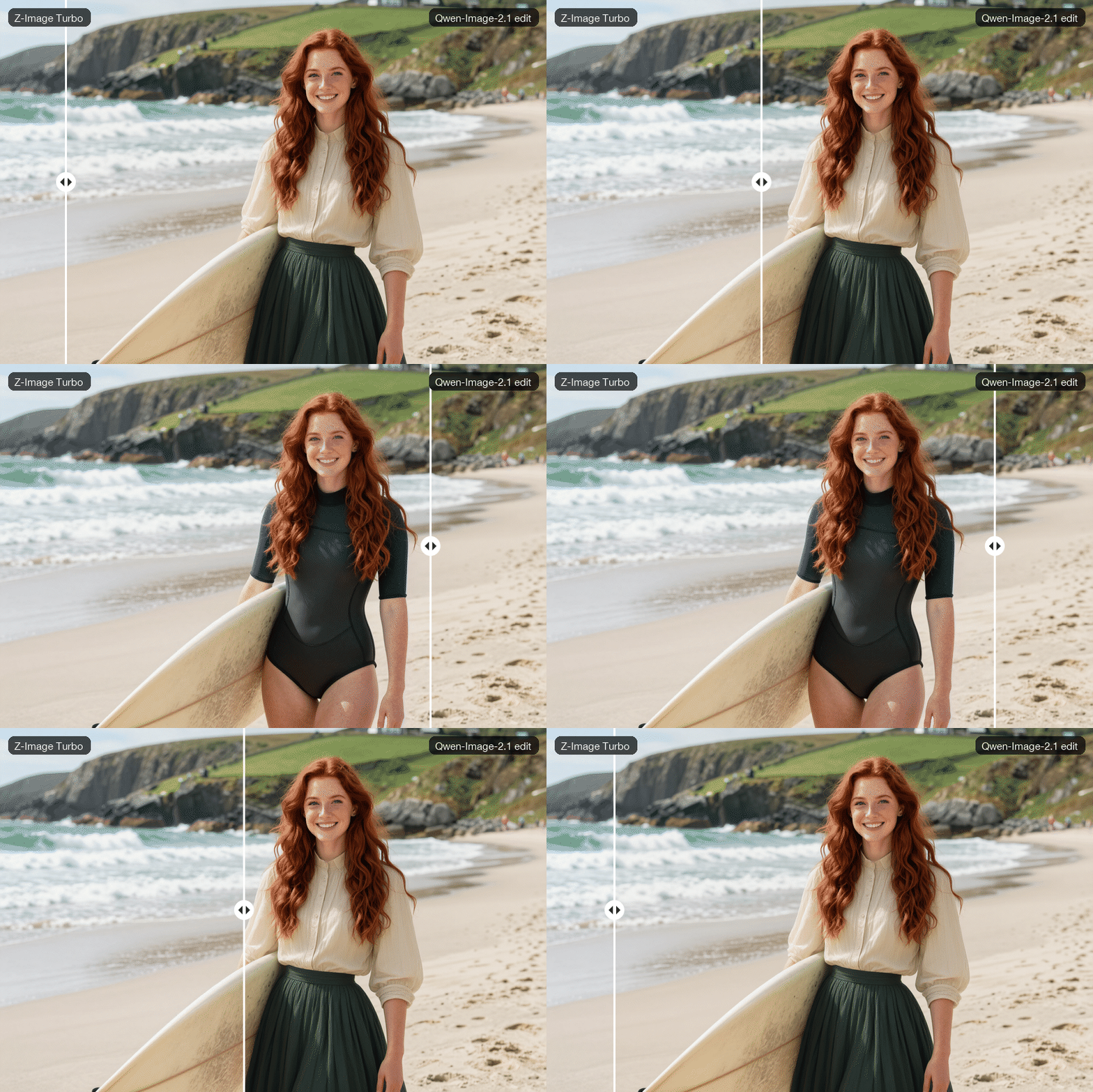
The second image is a source: “dress the woman of image 1 in the clothes of the woman in image 2”. The surfer from Z-Image Turbo keeps her face, her beach and her light, and wears the blouse and skirt of the reader Anima painted.

Under a sliding curtain, the red-haired surfer in a shorty on the beach and the same woman in the cream blouse and long green skirt of the reader from the Anima painting, edited by Qwen-Image-2.1 from two images

Compare under the curtain

Any two images, side by side in one frame: slide the curtain to see a photo by Z-Image Turbo become, in Qwen-Image-2.1's hands, a cel-shaded comic book — same face, same pose, same beach.

A summer photo made with Z-Image Turbo — a red-haired Irish woman smiling on a beach in the west of Ireland, her surfboard under her arm, in a shorty wetsuit — and its cel-shaded comic-book edit by Qwen-Image-2.1, under a sliding curtain

Explore before you commit

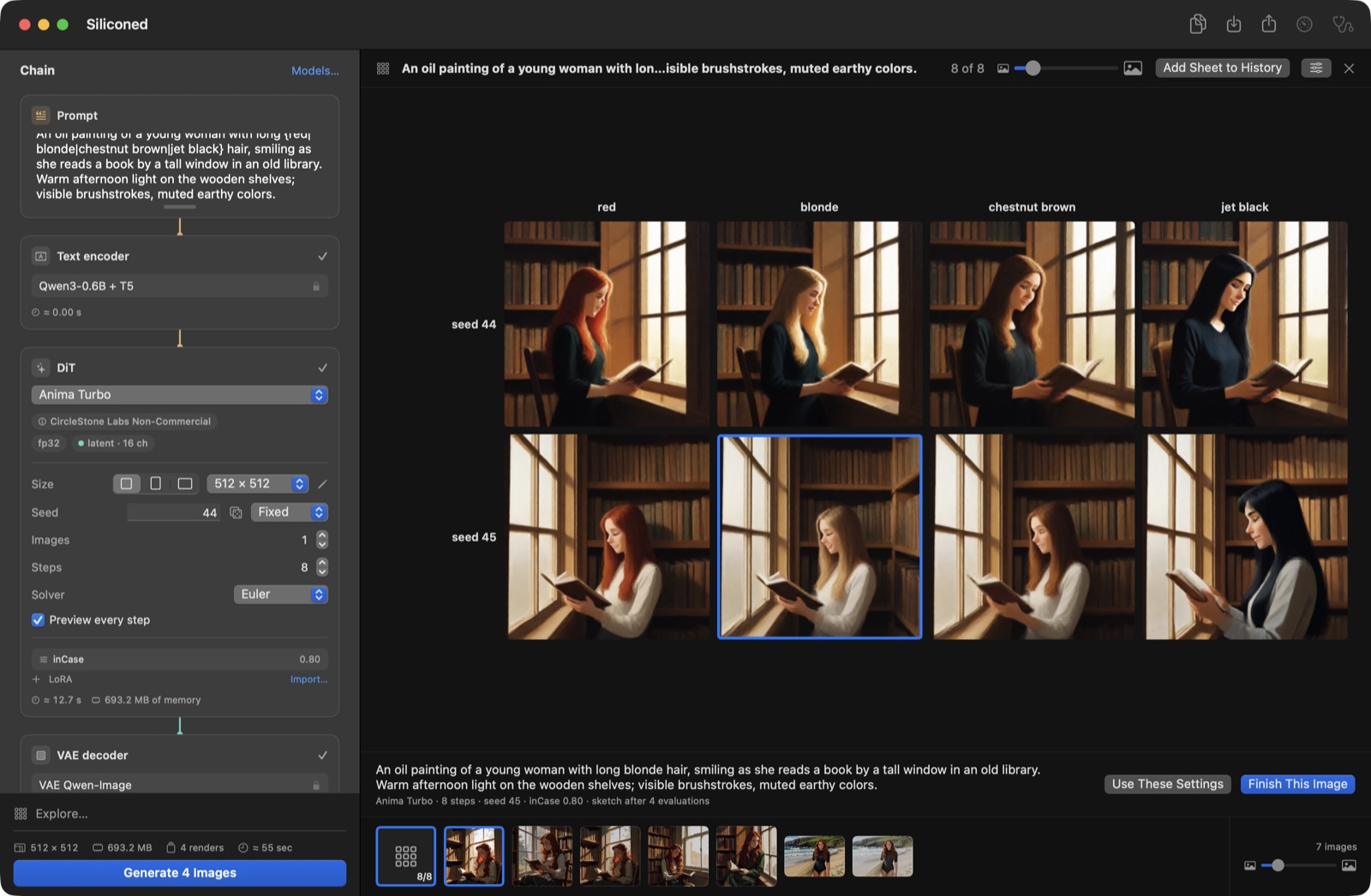
A grid across seeds, steps, LoRA strengths, models or prompt variants, drawn in the canvas with its axes as labels. The cell you pick becomes the finished image, with the same seed.

An exploration with Anima Turbo and the inCase LoRA: four hair colors by two seeds, a woman reading by a library window

Install what fits your Mac

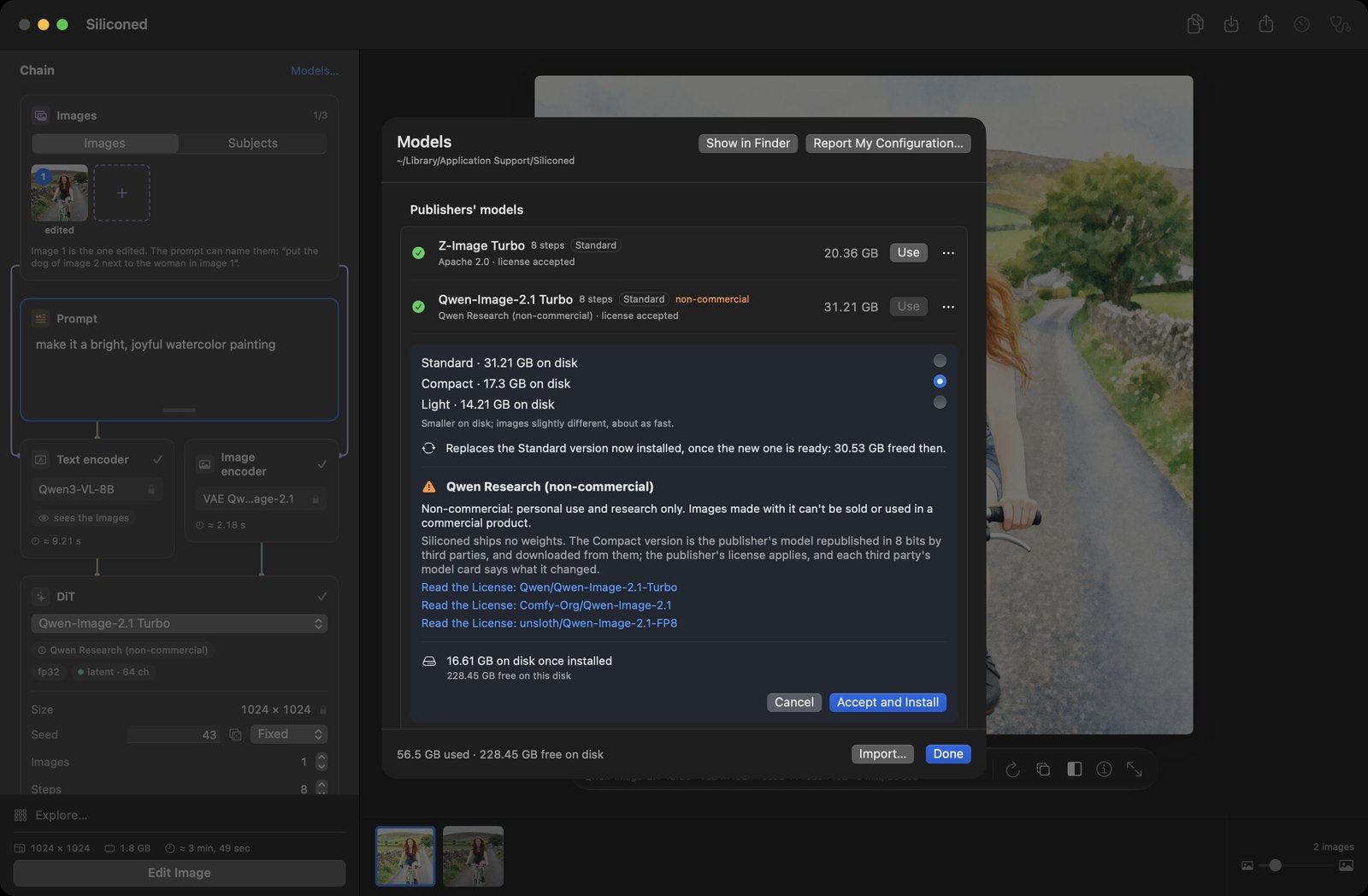
Standard, Compact or Light: the publisher's weights, 8-bit versions, or a 4-bit transformer. Every file is pinned to a revision and checked by sha256, and downloads resume where they stopped. The next file downloads while the previous one is prepared: Qwen-Image-2.1 installs in about 6½ minutes on a fast connection.

The Models window with Standard, Compact and Light, the license and the disk space

Models

ModelWhat it doesLicense
Z-Image Turbotext-to-image, image-to-image, LoRAApache 2.0
Qwen-Image-2.1 Turbotext-to-image, editing by instruction with 1 to 3 images, LoRAQwen Research (non-commercial)
Anima Turbotext-to-image (illustration, painting, anime), image-to-image, LoRACircleStone Labs Non-Commercial (the images may be used commercially)

Timings on an M1 Pro with 16 GB, Standard weights: Z-Image Turbo 1024² 113–119 s (8 steps); Qwen-Image-2.1 Turbo 1024² ~134 s (8 steps); an edit with one reference ~210 s; Anima Turbo 1024² 43.7 s (8 steps).

Get it

Download the .dmg Read the README En français

Nothing is preinstalled: pick a model in the app, read its license, and it downloads.